
Before Tempo: spreadsheets
At Weinmann Technologies, working time was logged in Excel files. No formal approval, no traceability, no overview for managers, and absences copied by hand from the HR tool.
I built Tempo solo during my work-study program, front end and back end.
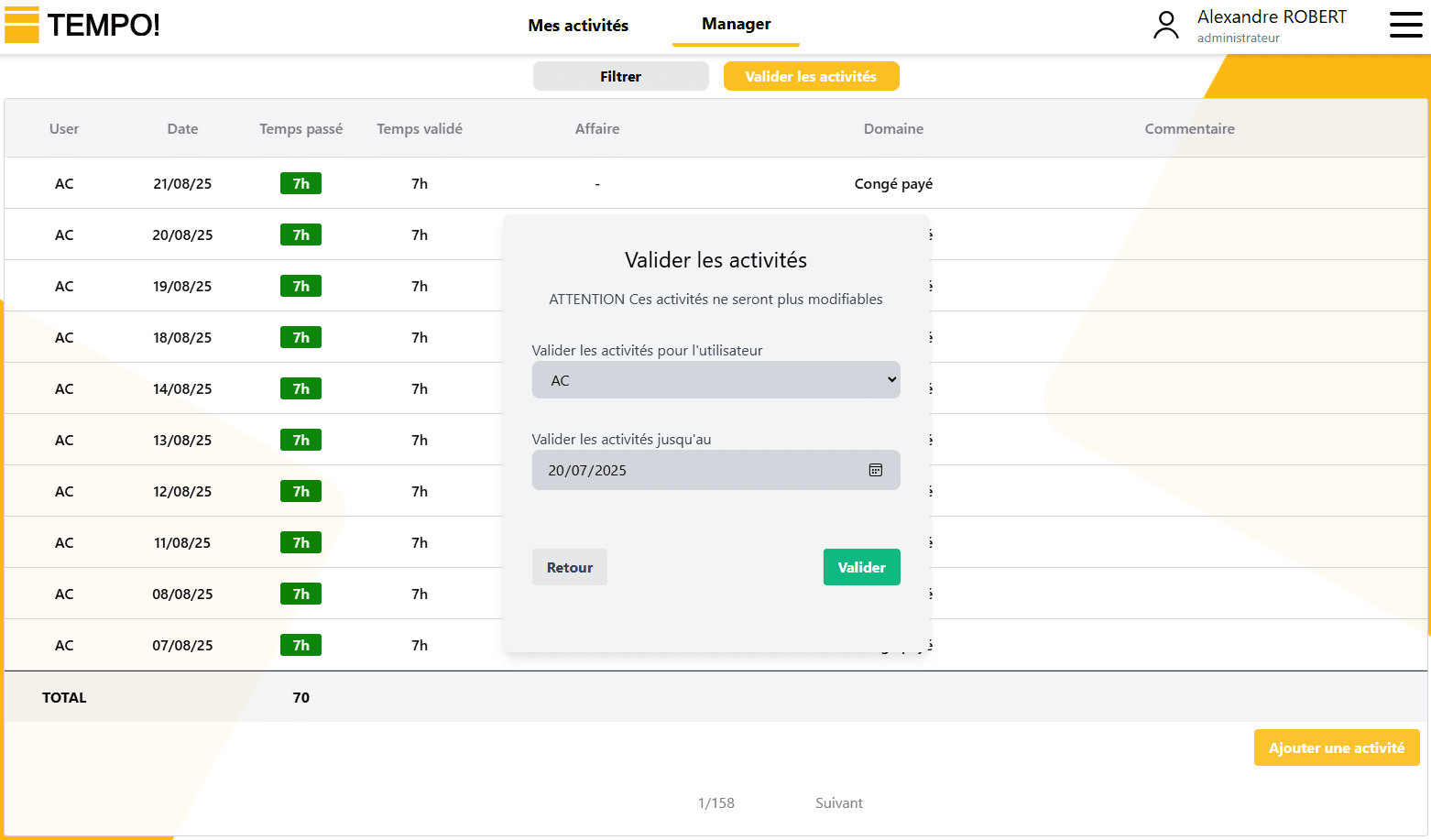
Three roles, one approval flow
The heart of Tempo isn't data entry, it's the flow: who logs, who approves, who corrects, and the record of all of it.
Employee
Logs daily activities, checks their history and absences.
Manager
A dedicated view to approve or correct their team's entries, with an overall picture.
An admin role completes the set. Every route is protected by role: an employee can't reach the approval screen, even by typing the URL.
Absences show up on their own
Absences lived in Silae, the HR tool. Instead of re-entering them, a Python script syncs them into Tempo's database automatically:
Silae (HR) ──► Python script ──► MySQL ──► Tempo
The result: employees see their leave already filled in when they log their week, and managers approve against accurate data.
The tricky part was understanding Silae's own logic and avoiding duplicates on every sync. Approval, for its part, has to absorb the exceptions of a real calendar: public holidays, paid leave, long absences.
Fixed-days contracts
Some managers in France work on a forfait jours: they count days per month, not hours. They had no suitable tool; Tempo gives them dedicated tracking of their monthly allowance, alongside the regular time entry.
What changed
The tool keeps evolving with user feedback, which is probably the best sign it found its place.
Stack and deployment
HTML and TailwindCSS for the interface, Node.js / Express and MySQL on the server, served by PM2 behind an Nginx reverse proxy.